If a Case Study Screenshot Hides the Date Range, You Can’t Check the Number
You are looking at a case study: a bar chart, a big percentage, and nothing else. No start date, no end date, no label like “last 30 days” or “Q3.” Before judging the number, ask a narrower question: can you tell what period it covers? If not, that is worth noticing on its own, separate from whether the agency picked a flattering window.
The screenshot is missing something specific, not just missing context
It is easy to fold this into the general worry that a reporting window might be cherry picked, and the reporting window itself can be chosen to flatter the result. But this is a smaller claim: cherry picking is about which window got chosen, this is about whether you can see which window got chosen at all. An agency could pick a fair window and still hand you a screenshot that never shows it.
Most analytics dashboards display the selected date range somewhere in the chrome around a chart: a control, a label, or a preset like “last 7 days.” That is a widely observed convention, not a claim about any named platform. A screenshot that crops that out costs the reader the one thing needed to check the number.
This matters even if you trust the agency completely. Trust is a belief about intentions. A visible date range is a fact about the image. You can trust someone entirely and still not know, from the picture alone, whether the chart covers ten days or ten months.
What a dashboard screenshot normally includes, and what a crop removes
Picture the typical furniture around a chart: a date range control near the top, sometimes a toggle comparing periods, sometimes a timestamp for the last update. None of it is the interesting part of the screen. The chart is. The big number is. So when someone crops an image down to just the good part, the chrome falls outside the frame, usually with no intent to remove evidence, simply because nobody was thinking about evidence when cropping.
The crop does not need intent to do its damage. A screenshot trimmed in a hurry ends up in the same place as one cropped on purpose to hide an unflattering window. You cannot tell which happened, and it does not change the conclusion: the date range is gone, and you are checking a number against a period you cannot see.
That is why this deserves naming on its own rather than folding into “maybe they picked a bad window.” A picked window is a decision you could argue with if you knew what it was. A missing window is not even a decision you can see.
A quick checklist for the next screenshot you see
- Look for a start date and end date, or a preset like “last 30 days.” It need not be prominent, just present.
- If a comparison period is shown, check whether you can see what it is compared against. An invisible baseline gives a direction but not a magnitude you can trust.
- If the chrome is cropped tightly around just the number or chart, treat the window as unknown. Not favorable, not unfavorable. Unknown.
- Read the case study text separately from the image. The window may be stated in words even when the screenshot shows none of it. The two are independent checks.
A hypothetical case, worked through
The numbers below are invented for illustration only and do not describe any real agency, campaign, or reported result.
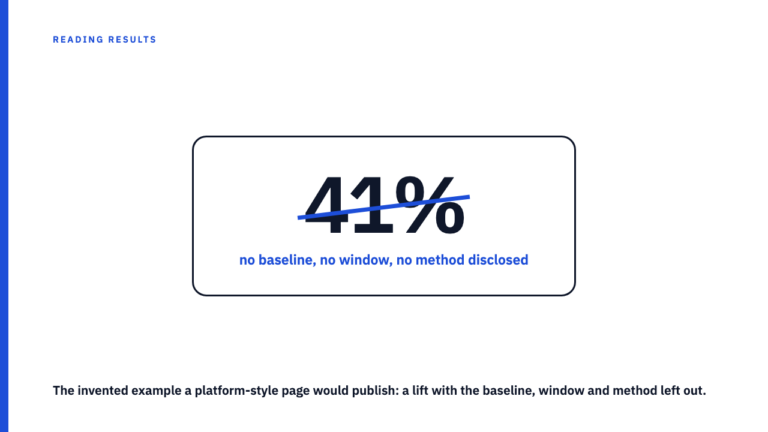
Imagine a cropped screenshot: a bar chart climbing left to right, and beside it, in large type, “engagement up 340 percent.” No date chrome, no comparison period. You can conclude some metric rose over some period of unknown length, by an amount reported as 340 percent. That is nearly everything you can conclude. You cannot tell if the rise took three days or three years, or if 340 percent is a jump from a tiny base, a separate problem worth watching for. You cannot compare it, because you do not know the window.
Now picture the same chart with a visible control reading “Jan 1 to Mar 31, 2024” next to “vs. Oct 1 to Dec 31, 2023.” The result has not changed, but you can now ask sharper questions: is that comparison fair, was anything else happening in either quarter. Those questions cannot form against the first screenshot. The second version proves the number is checkable, not that it is good.
What this tell does not prove
A visible date range is not a verdict, it is a door onto the next set of questions. Seeing “Jan 1 to Mar 31” does not tell you whether that quarter was fair to report or simply the best on record. That belongs to the cherry picked window problem, not this one.
It is also worth resisting the opposite overcorrection: treating every crop as concealment. Many legitimate case studies crop images for layout or file size, with no intent to hide anything. A missing date range is a prompt to ask, not a verdict to render.
One more limit. A screenshot is a single frame from a dashboard that is, by nature, live. Even one with a visible date range can be stale by the time a reader sees it, since numbers may have moved since the capture, separate from whether the range was visible in the frame.
Check the library, or add to it
If this kind of close reading is useful, browse the case study library for more examples, or, if you have run a campaign and can back the numbers with a source, submit your own for the library to credit.
FAQ
If the case study text states a date range in words, does the screenshot still need to show it?
The two checks are independent, and the ideal is both. Text and chrome agreeing gives two confirmations. Only the text stating it gives one, better than none but still a written claim, not a checked image. Neither gives you a window, and you have zero.
Does a cropped screenshot mean the agency is hiding something?
Not by itself. Most crops happen for visual tidiness, with no intent to conceal anything. Missing chrome removes your ability to check the window, regardless of why. Treat it as a gap in what you can verify, not proof of bad faith.
Sources
- A 90-Day Headline, a 12-Month Campaign: What’s Missing, fetched 2026-09-09
- How to Read a Results Chart Before You Read the Caption, fetched 2026-09-09
- How to Read a Marketing Case Study Without Being Misled, fetched 2026-09-09